A Scanner device is any device (phone, tablet, etc.) that utilizes and runs the Scanner (Ingress app).
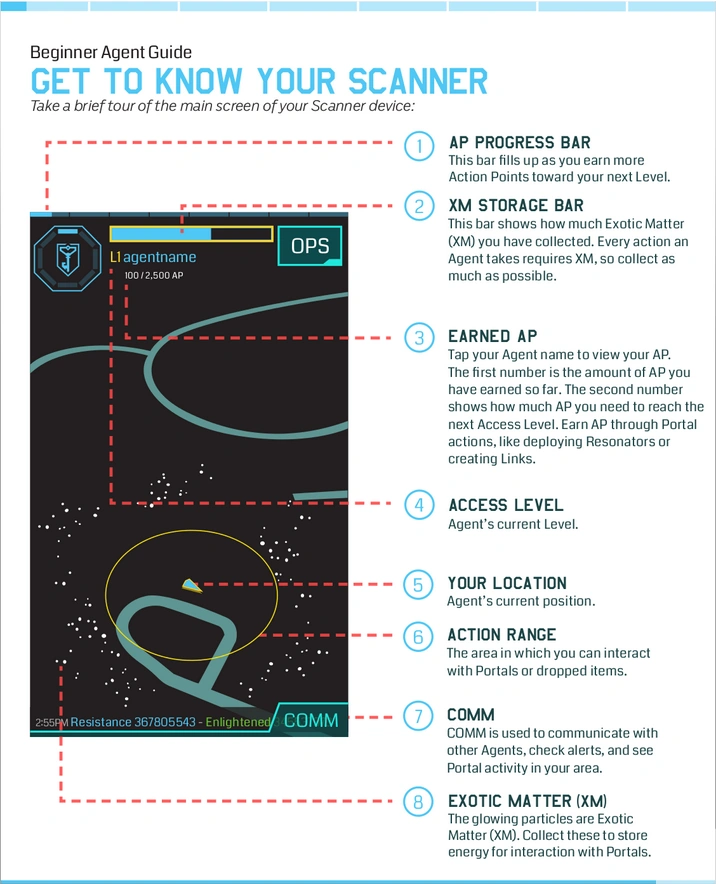
Scanner Map
The Main Screen displays the map area the Agent is in, detecting assets within range.
- Portals, neutral or controlled, and their Resonators
 and Portal Shields
  .
. - Links and Control Fields Δ from either faction.
- XM on the ground, and items that are dropped.
While the map updates, the Scanner will also detect damage, whether it is a Resonator losing XM from decay, or an Agent taking down Portals. The Scanner will also detect new Links and Control Fields Δ when they are created.
Scanner Map Layers
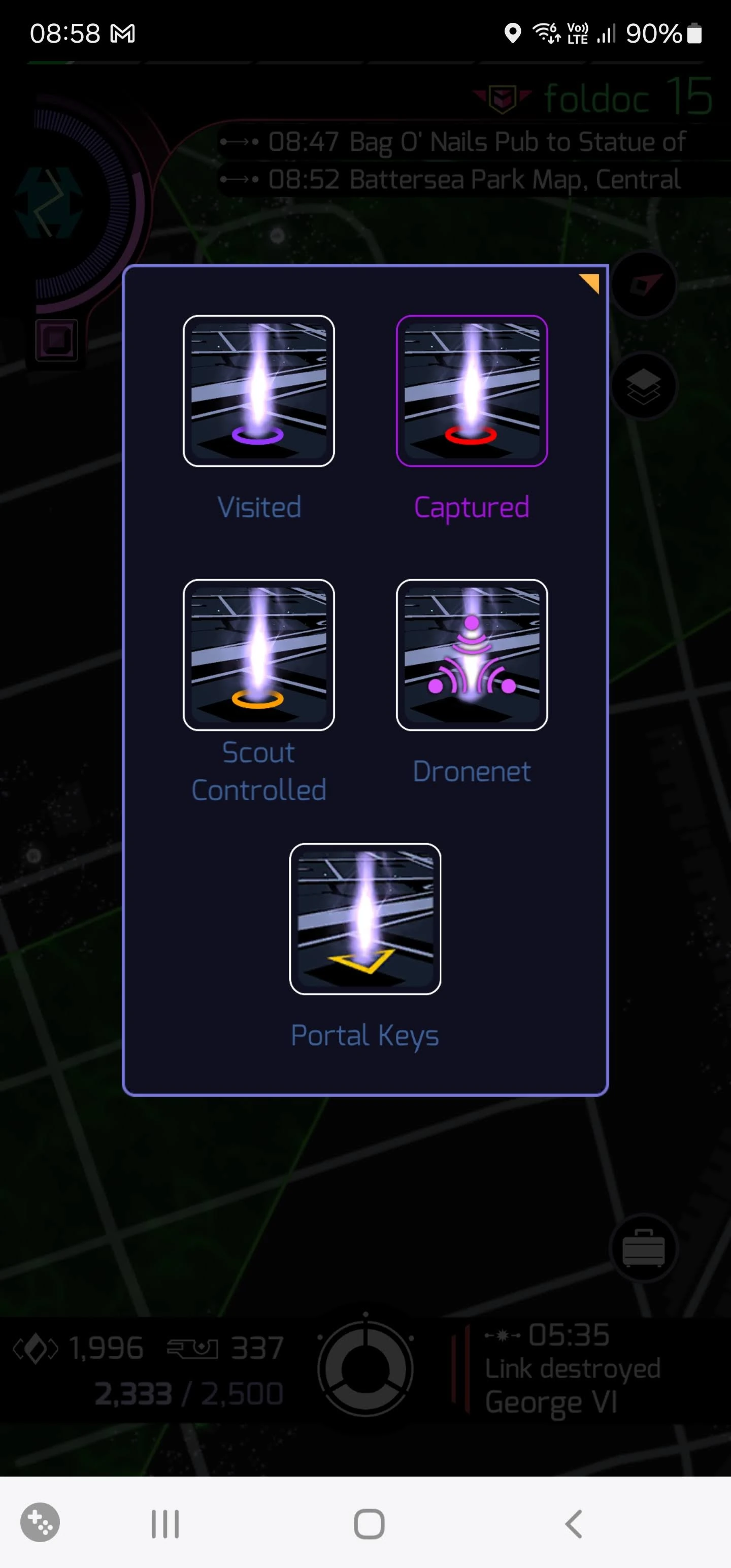
Tap the map layer icon near the top-right of the main scanner display to open a panel with icons for the following layers:
- Visited: Adds a 🞅 (purple circle) around every Portal the Agent has ever visited.
- Captured: Adds a 🞅 (red circle) around every Portal the Agent has ever captured.
- Scout Controlled: Adds an 🞅 (orange circle) around every Portal the Agent has ever Scout controlled and marks volatile Portals with a revolving [☐] (yellowish "square bracket enclosed box").
- Dronenet: Unveils all Drones' positions (regardless of Faction) within the Scanner range.
- Portal Keys: adds a yellow triangle to a portal if the agent has one or more keys for it.
Tap an icon to highlight it in gold and activate the relevant layer on the map. Tap it again to highlight it in purple; portals are then highlighted if they don't have the given property (have not been visited, captured, etc.). A third tap turns the layer off. Hit back to return to the map.
OPS
Selecting OPS  will bring up a menu, where an Agent can use their Drone, visit the Store, or Nominate a Portal.
- Community: Visit the official Ingress community forums.
- Dronenet: Use the Drone to remotely view and hack Portals.
- Events: See any occurring and future events on the map.
- Missions: View and complete any Missions nearby.
- Nominations: Nominate a point of interest, and bring a Portal into the network.
- Scores: View the Cell scores, top Agents and global scores.
- Settings: Adjust the lighting dynamics, notifications and sound.
- Store: View and purchase Premium items, and redeem Passcodes.
The influence area has a 40 meter radius, no matter the Agent's level. With the exception of recharging Portals remotely via Portal Key  , Agents cannot do anything outside the area of influence.
Scanner XM Reserves
The higher the Agent's level, the more XM they can carry in their reserves. Recursing does not allow an Agent to keep their XM tank capacity.